QR Code Ordering
Guests scan the table QR code and order themselves, orders reach the kitchen screen, and you see your sales every day
A QR code ordering system for restaurants that covers both the dining room and the back office. Guests open a photo menu on their phones with no app to install, choose options, order and follow their table's orders themselves. Orders go to kitchen screens by food category, while owners manage menus, tables and staff and see sales reports from the store admin. One account can run several branches.
Built for: Restaurants
Request a demo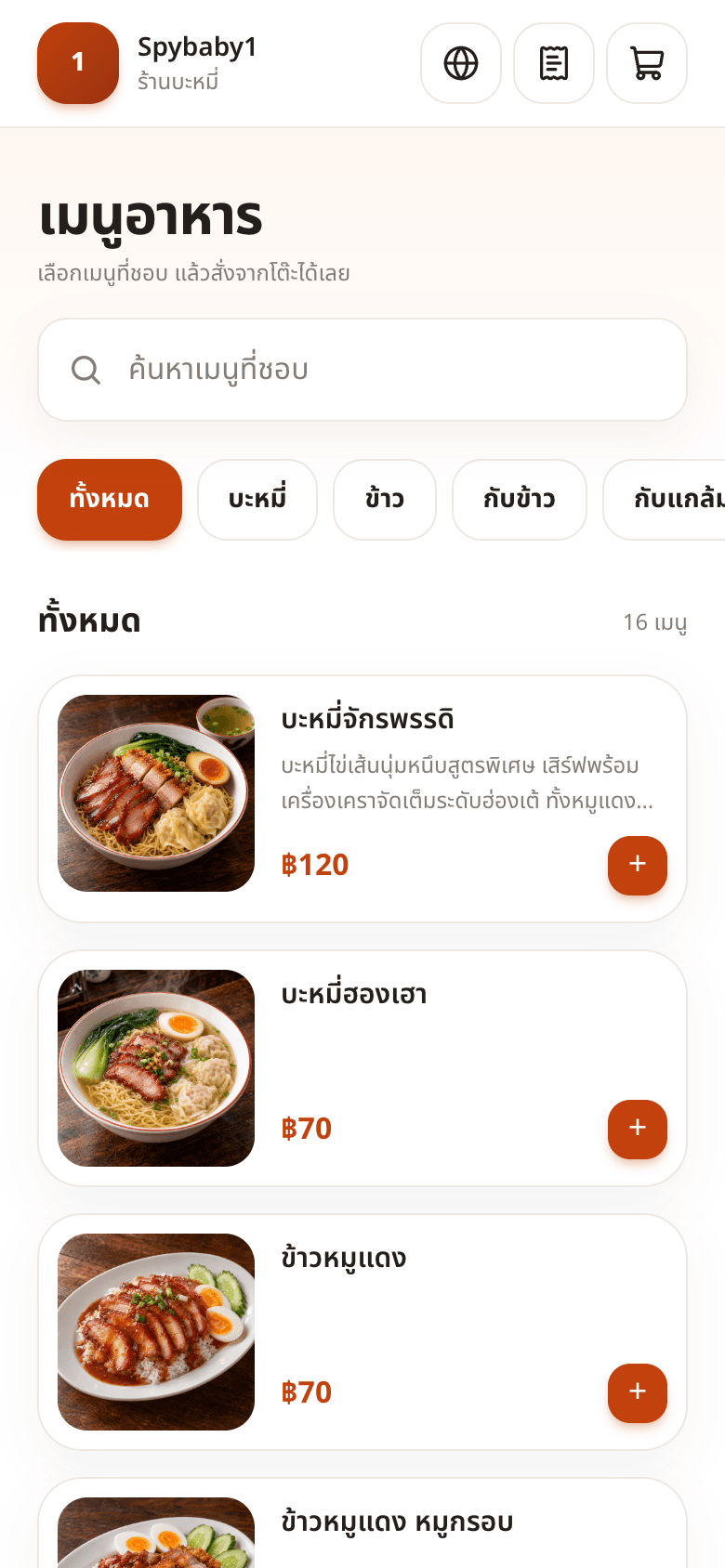
What guests see
1Scan the table QR code and the menu opens 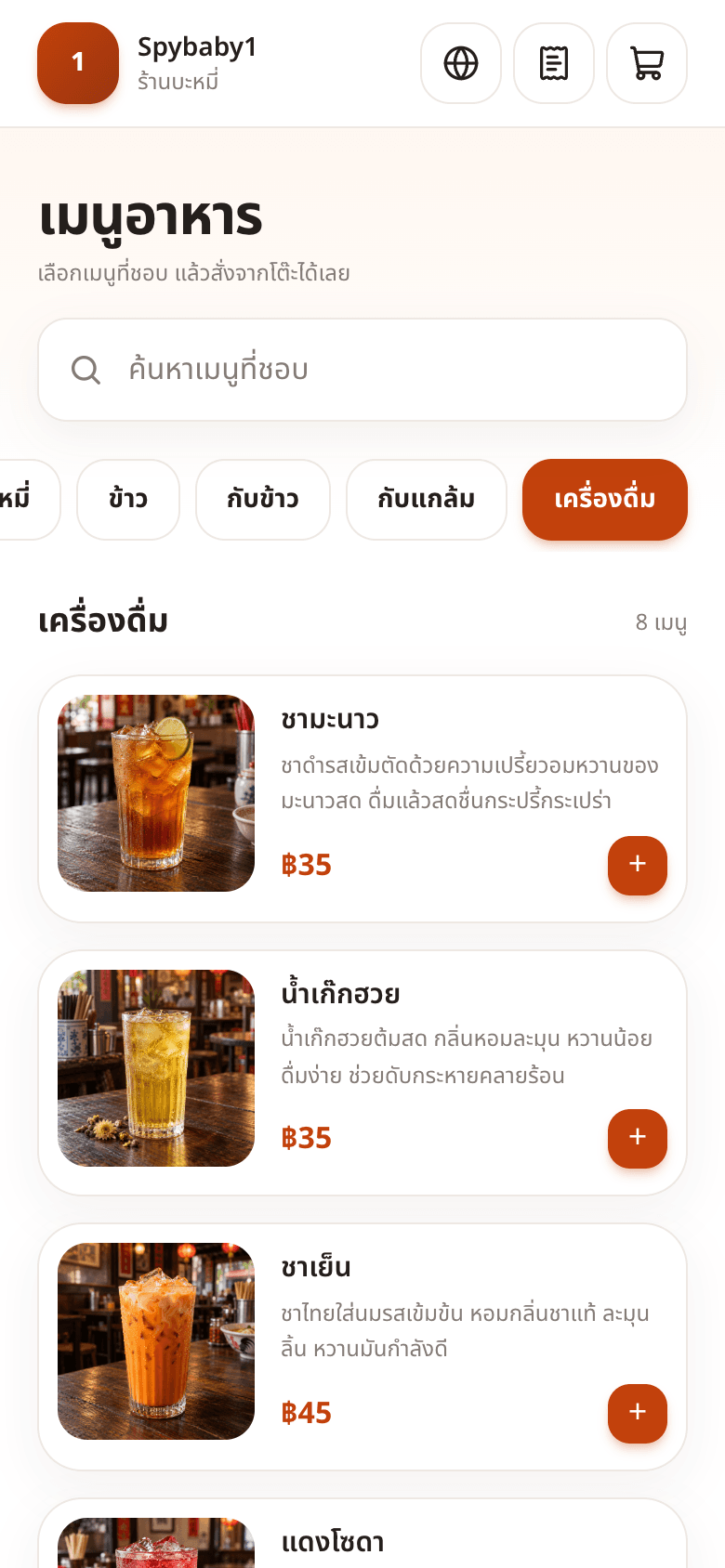
2Filter by category in one tap 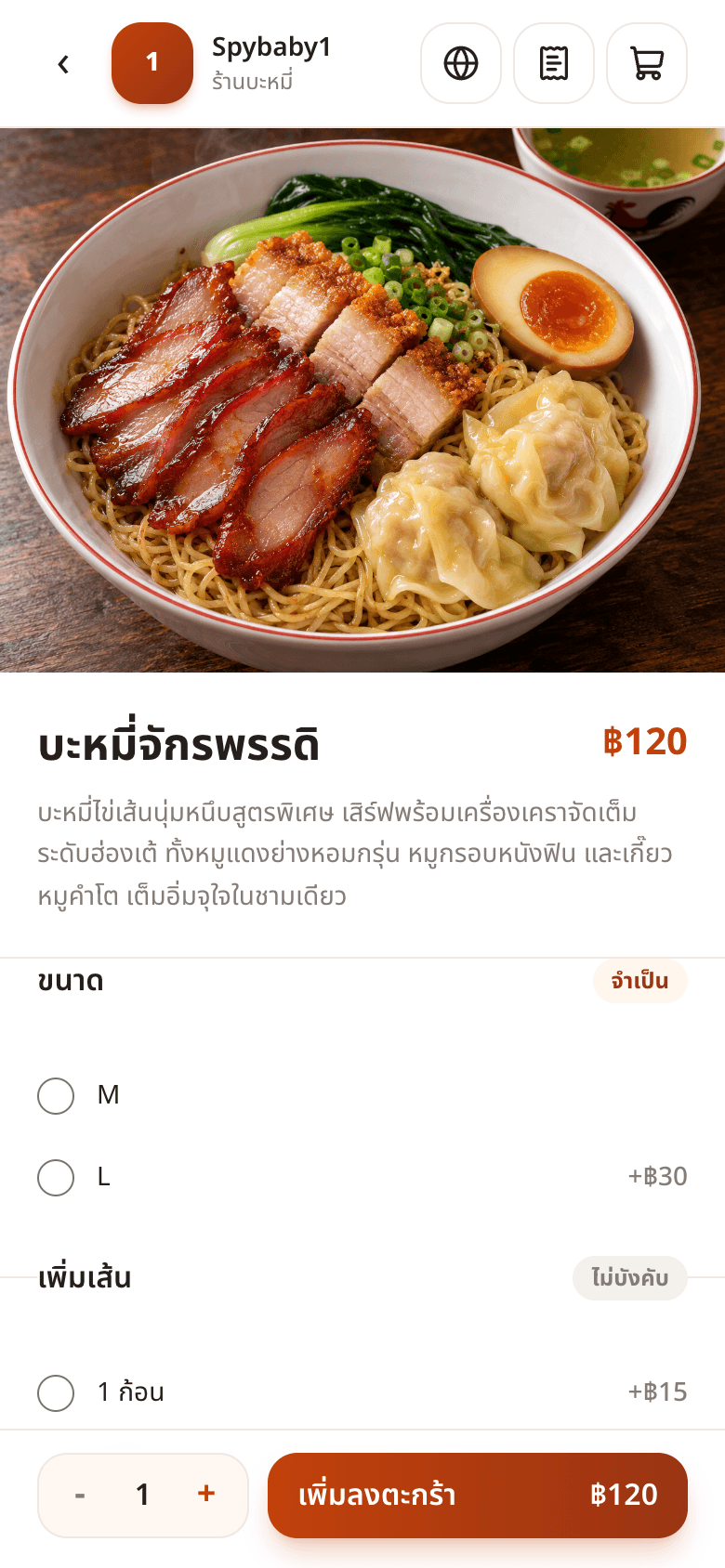
3Choose size, add-ons and quantity 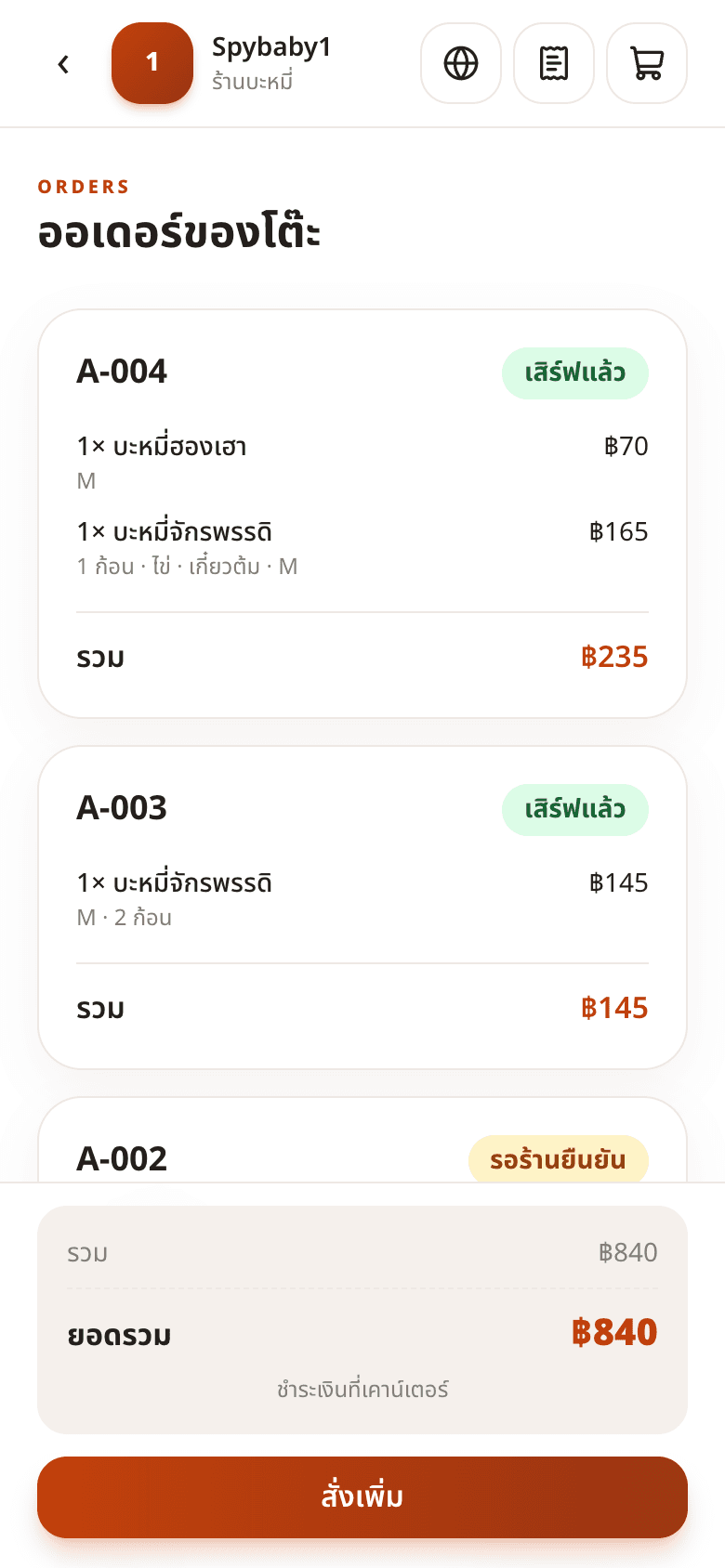
4Track order status and the table total 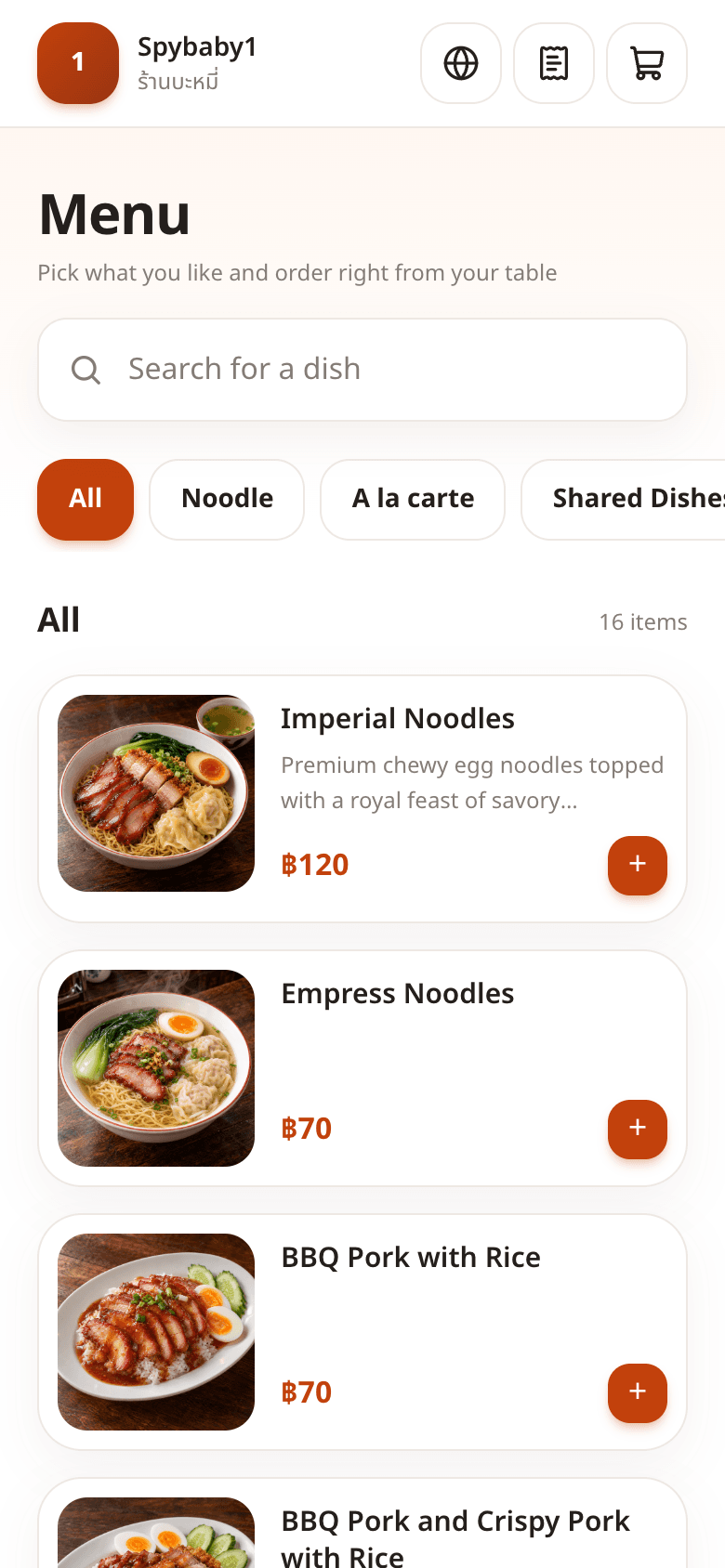
5Guests switch the menu language themselves
Key features
A QR code for every table
Create tables and print QR codes in bulk. Every order is tied to its table automatically, and you can reset a QR code whenever you need to.
Photo menu with search and categories
Guests see a photo, description and price for every dish, and can search or filter by category in one tap.
Options and add-ons
Set required choices, such as size M or L, and optional add-ons, such as extra noodles, with the extra charge added automatically.
Table order tracking
Guests see every order for their table with its status, from waiting for confirmation to served, plus the table total, and can order more at any time.
Orders straight to kitchen screens
Each food category goes to its own kitchen, such as noodles or drinks. Staff accept, reject or mark orders as served on the kitchen screen, and guests see the status update right away. Any tablet becomes a kitchen screen with a pairing code.
Manage your own menu
Add categories and dishes, upload photos, change prices, set options, drag to reorder and mark items as sold out instantly.
Sales reports
Sales summary, daily sales, best sellers, sales by category, busy hours, payment methods and sales tax, compared with the previous period. Print or download CSV.
Staff and PINs
Separate staff and manager roles. A 6-digit PIN is required to reject orders or close bills, so you know who handled anything involving money.
Multiple branches and languages
Run several branches from one account and compare their sales. Menus can be offered in up to 6 languages: Thai, English, Chinese, Japanese, Russian and Arabic.
Receipts and tax invoices
Supports VAT-registered restaurants with receipts or tax invoices numbered per branch, and a business-day cutoff for restaurants that close after midnight.
Store admin
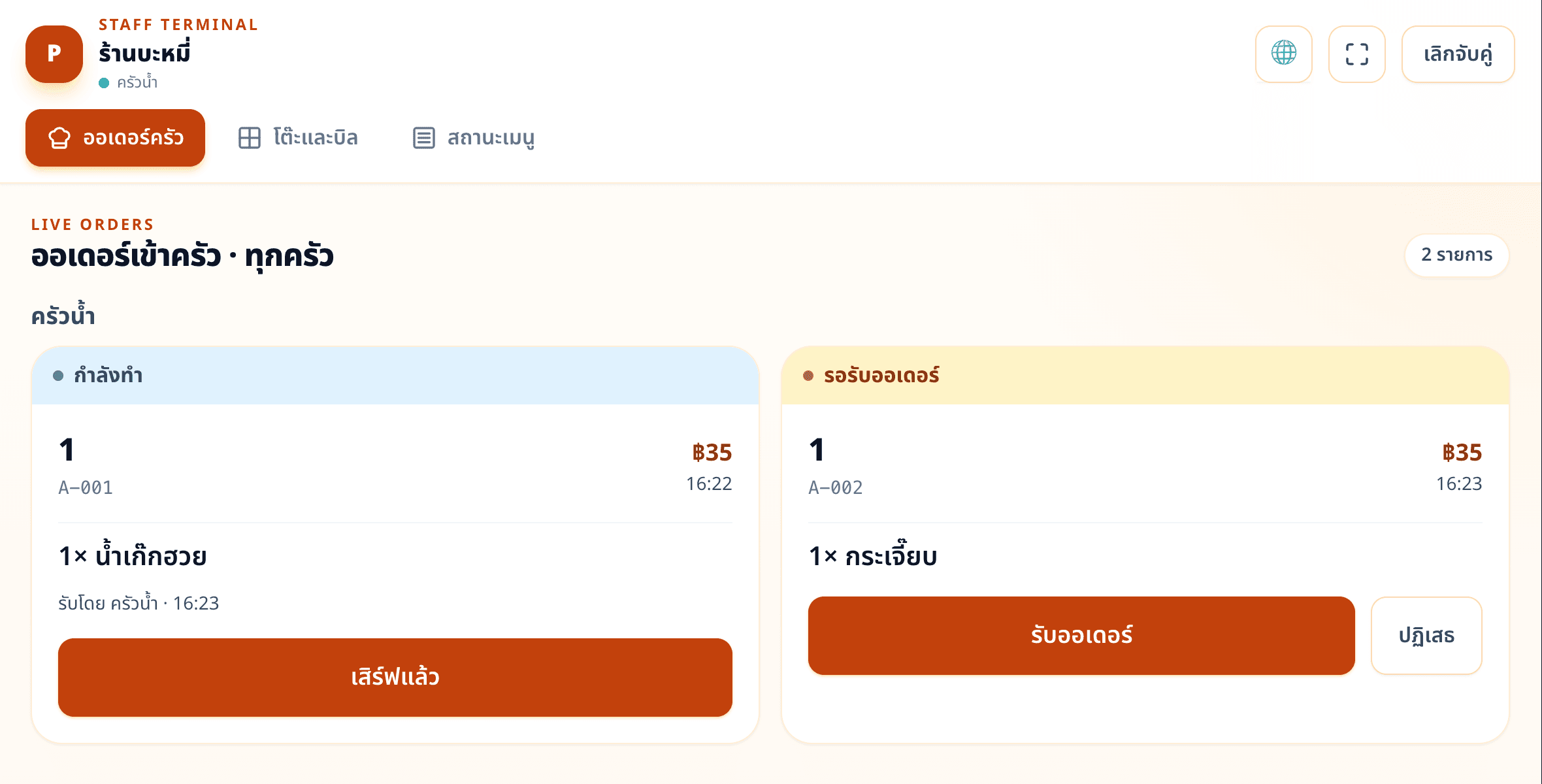
1Kitchen screen on a tablet: accept, cook, mark as served 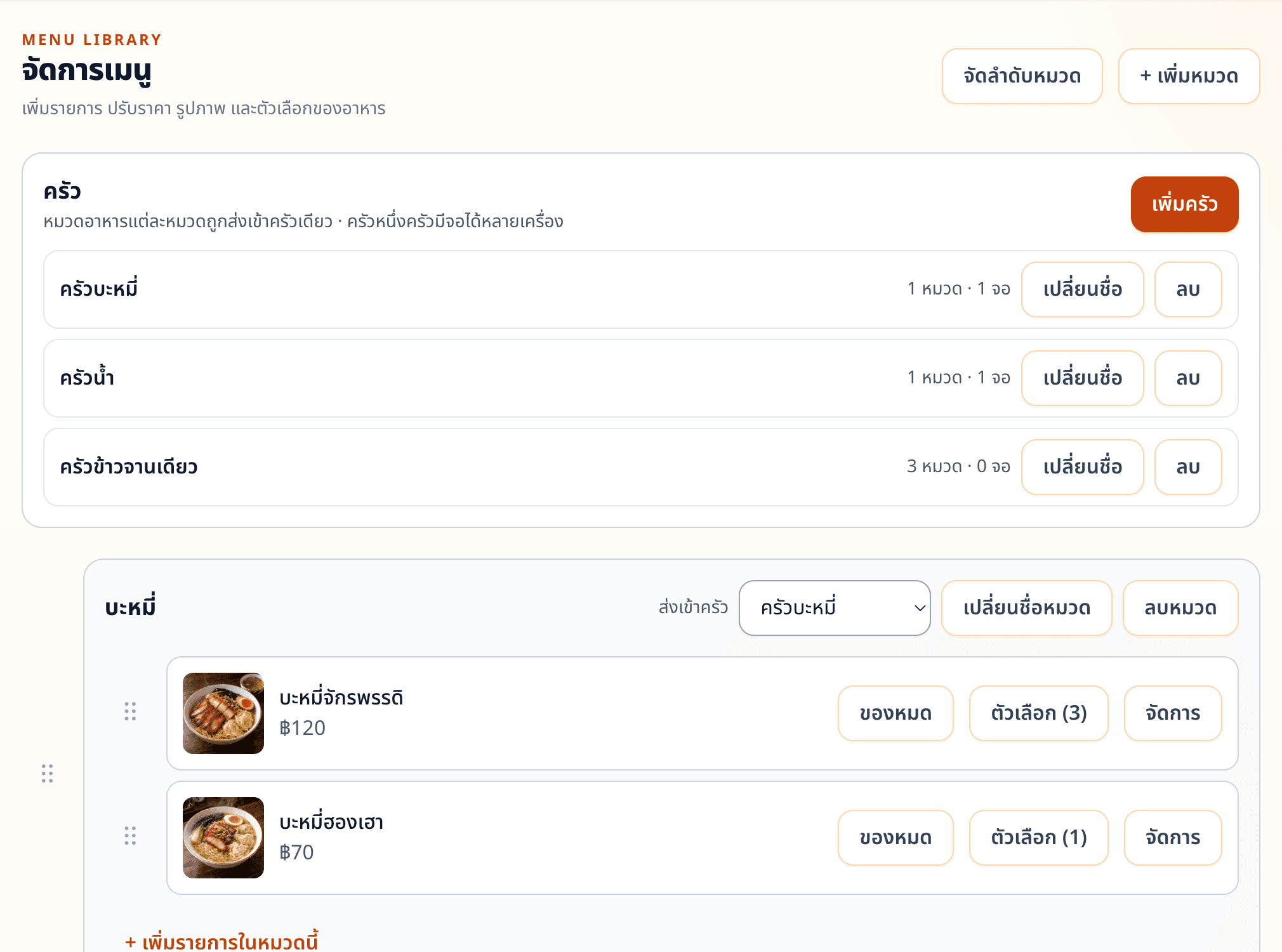
2Manage the menu and route each category to a kitchen 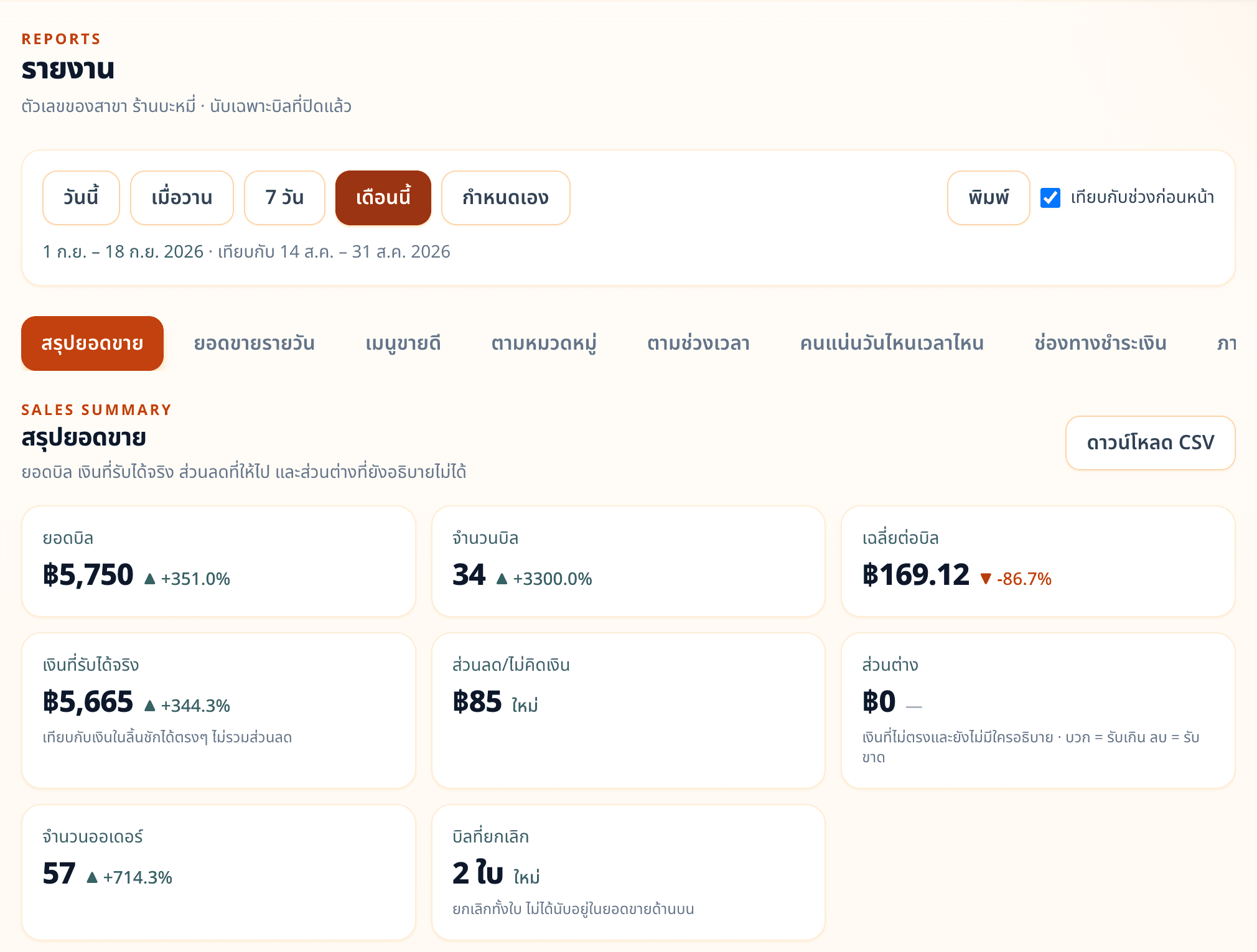
3Sales summary against the previous period 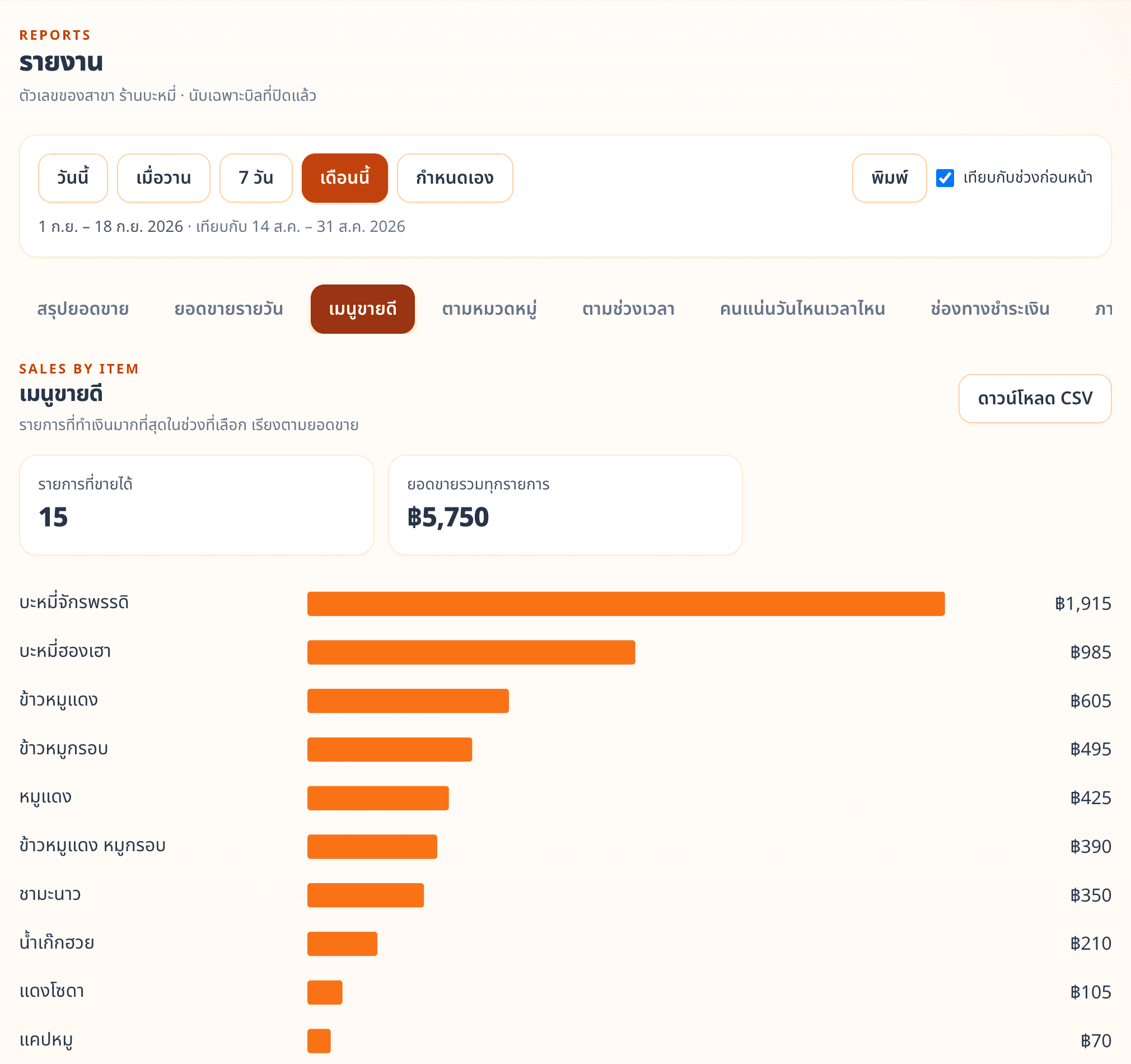
4See which dishes sell best 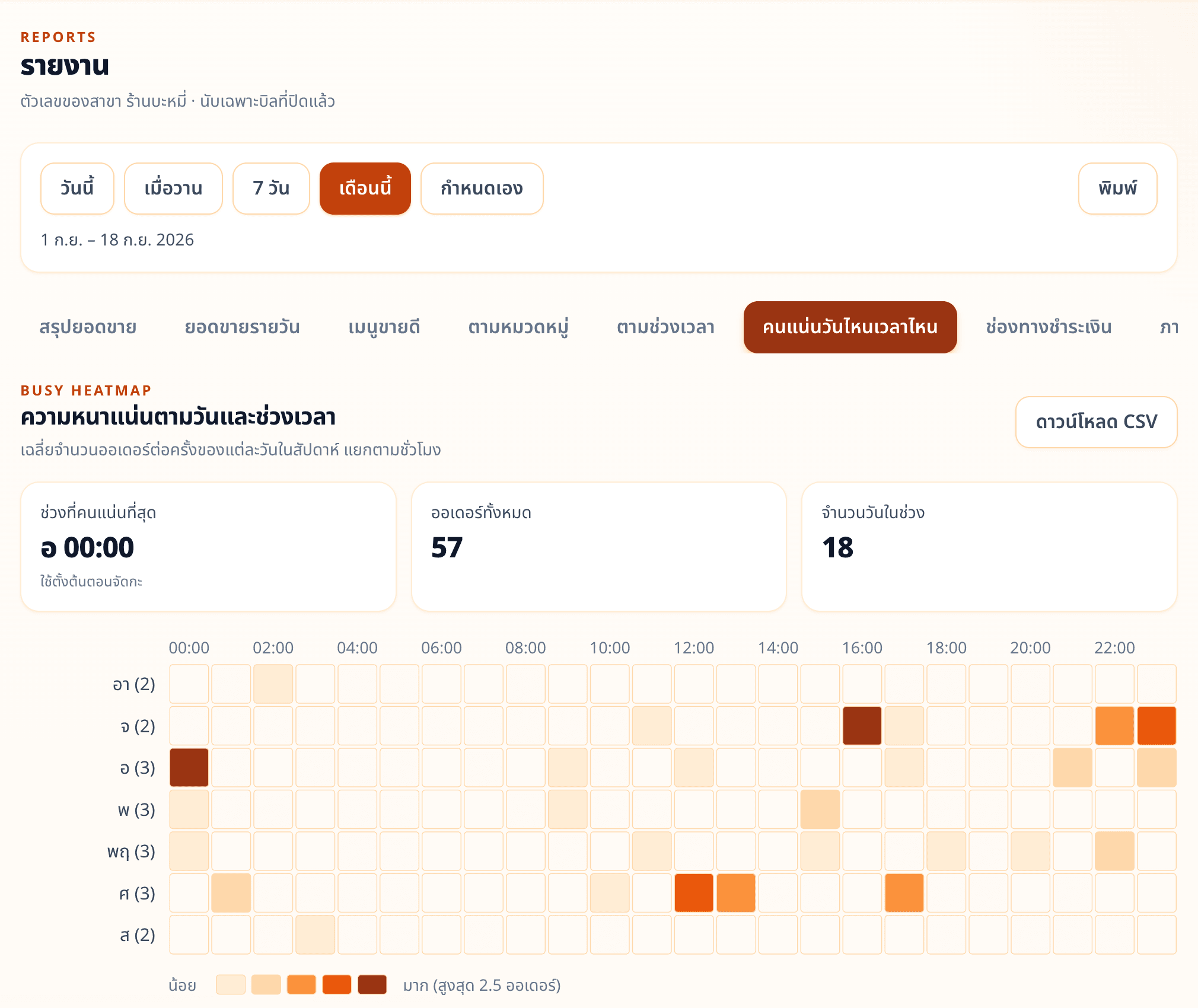
5Know your busiest days and hours to plan staff shifts
Plans
Contact our team for pricing and details.
Questions about this product
Do guests need to install an app to order?
No. Guests scan the QR code at their table and order right away in their phone's browser.
How do guests pay?
Guests see their table total on the table's orders page and pay at the restaurant's counter.
Can guests see where their order is?
Yes. The table's orders page shows each order's status, such as waiting for confirmation or served.
Can guests order more from the same table?
Yes. Guests can order more at any time, and every order adds to the same table total.
Can dishes have options such as size or toppings?
Yes. You can set required choices and optional add-ons, each with its own extra charge.
Which languages does the menu support?
Up to 6: Thai, English, Chinese, Japanese, Russian and Arabic. The restaurant turns on the languages it needs, and guests pick theirs from the language button.
How does the kitchen get orders?
Orders appear on the kitchen screen for their food category. Any tablet can be a kitchen screen, and one kitchen can have several.
Does staff have to confirm every order?
No. You can turn on automatic confirmation so guests don't wait for staff, and you can pause ordering at any time.
Does it work for several branches?
Yes. Manage every branch from one account; each has its own menu, tables, staff and reports, and you can compare sales across branches.
Can it issue tax invoices?
Yes, for VAT-registered businesses. Set your business details and document numbering in the branch settings.