Online Queue & Booking
Guests take a queue number or book a time from a QR code, you call them from one board, and a screen in the shop shows who's next
A queue system for any business where people wait: restaurants, hair salons, clinics and studios. Run a walk-in line (first come, first served) or let customers book a date and time. Guests scan a QR code or tap a link from LINE or Facebook and get in line right away, with no app and no sign-up, then follow their place and check in from their phone. Staff call the next guest from a live board, a TV screen in the shop announces numbers out loud in Thai, and owners set up their own services, staff, tables, rooms and opening hours.
Built for: Restaurants · Clinics · Hair salons and spas
Request a demo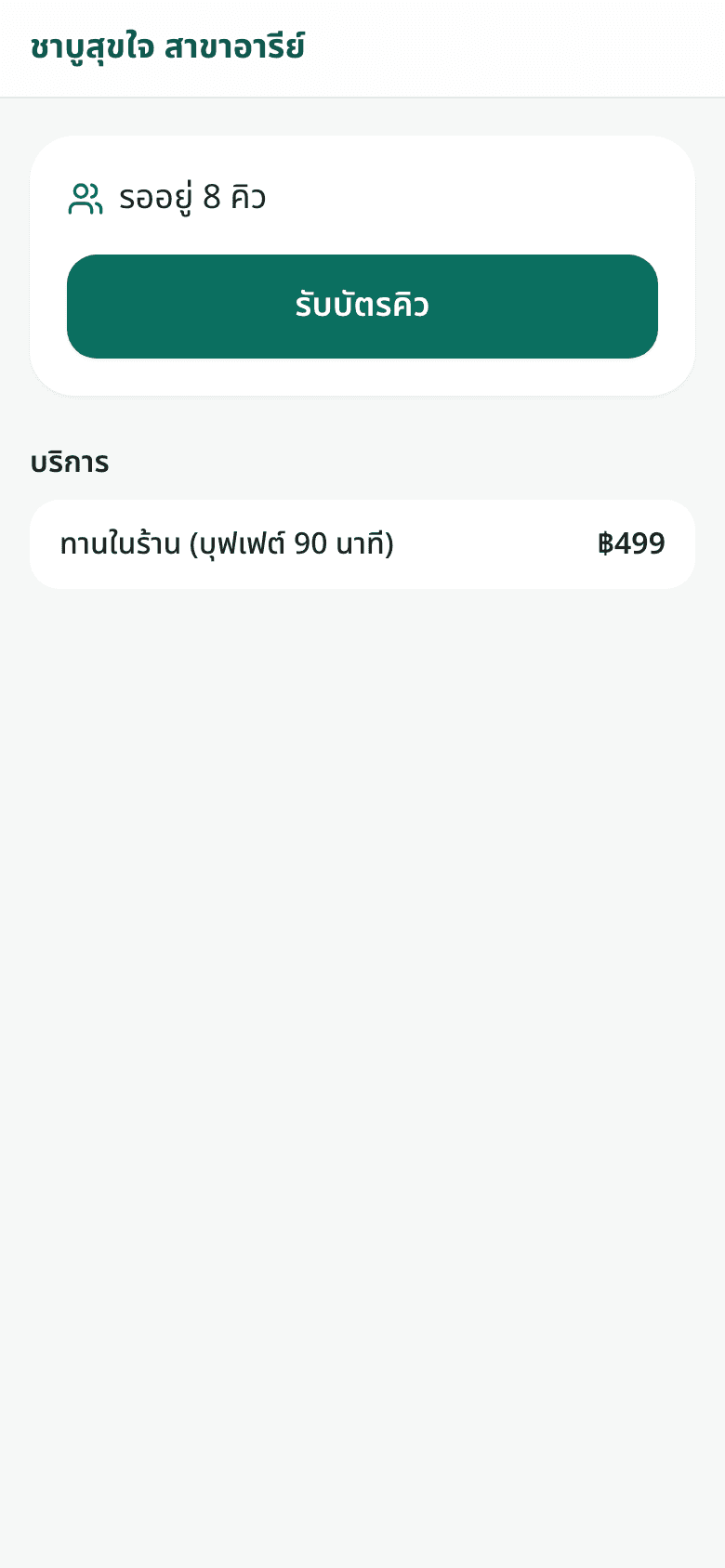
What guests see
1Scan the QR code and see how many are waiting 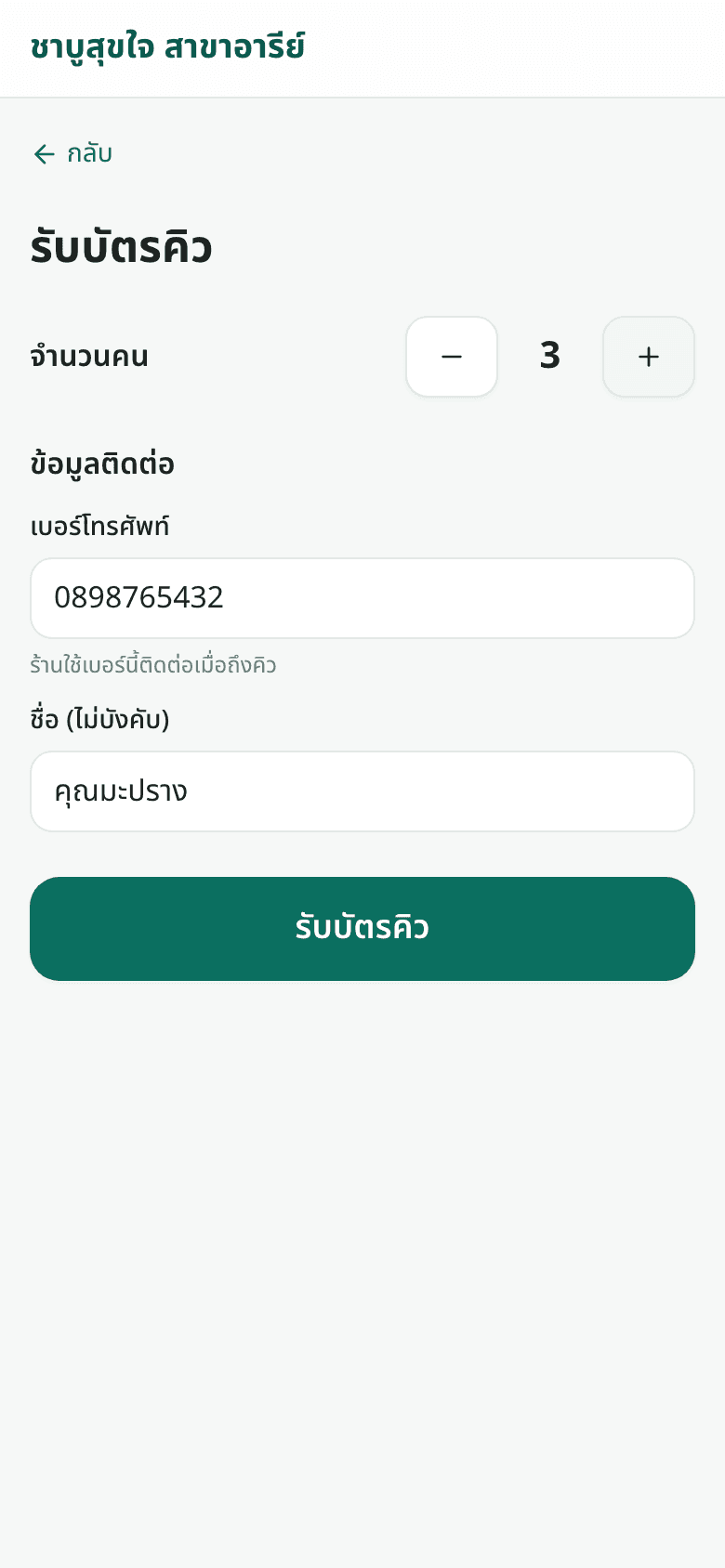
2Enter party size and phone to get in line 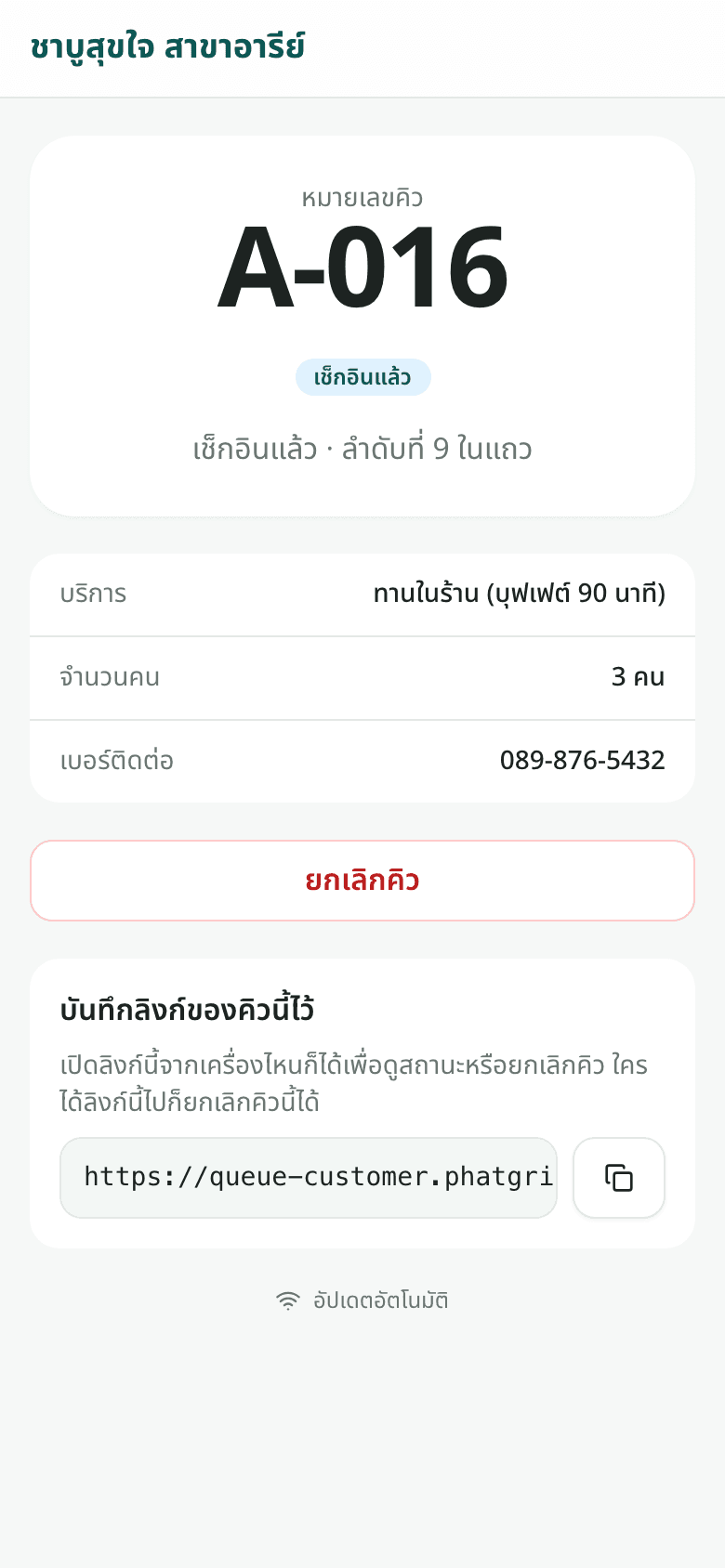
3A ticket on your phone with your live place in line 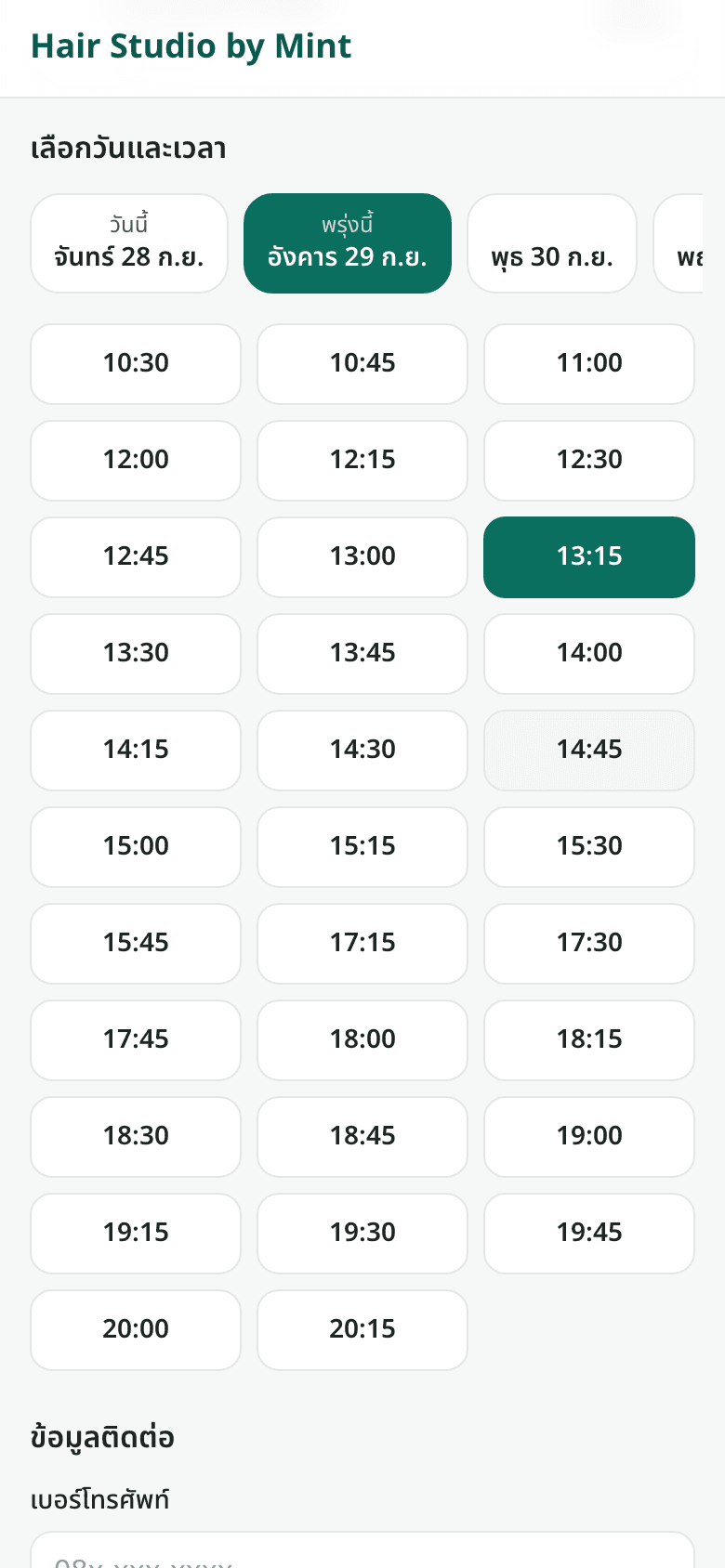
4Book ahead: pick an open date and time 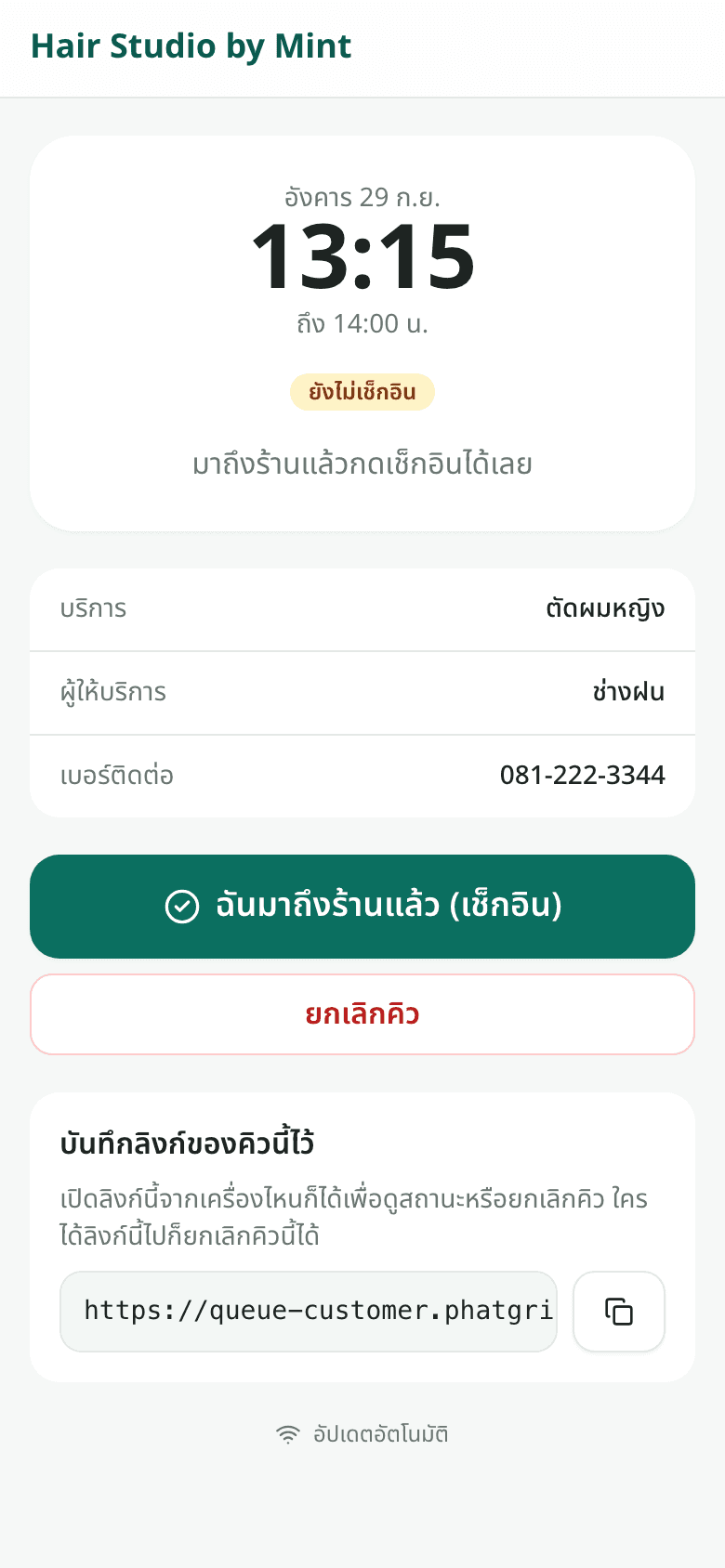
5Your booking, with check-in when you arrive
Key features
Walk-in numbers or booked times
Each queue is either a walk-in line or a booking calendar where guests pick a service, date and time. One shop can run several queues that work differently.
No app for your guests
Scan the QR code or tap the link, enter a phone number and you're in line. Each guest gets a link to their own ticket to check status, check in or cancel from any device.
A live board for calling guests
See who's waiting, called and being served on one screen. Call the next guest in one tap: guests who haven't arrived are skipped, and a free table is assigned at the moment of calling.
A calling screen that speaks
Open it on a TV or tablet and pair it with a 6-digit code. It shows the number being called and who's next, announces numbers in Thai, and lets you pick the layout, colour theme and scrolling message. The screen only shows numbers, never names or phone numbers.
Open times worked out for you
Bookable times come from each service's length and clean-up time, the shop's hours and each staff member's own hours, so two bookings never collide.
Set up your shop yourself
Add services and prices, staff, tables and rooms, choose who can do which service, and set weekly hours and holidays. Start from a template for a barber, restaurant, clinic or class.
Connects to your other systems
API keys and webhooks connect it to your POS or other software, and one account can run several locations.
Store admin
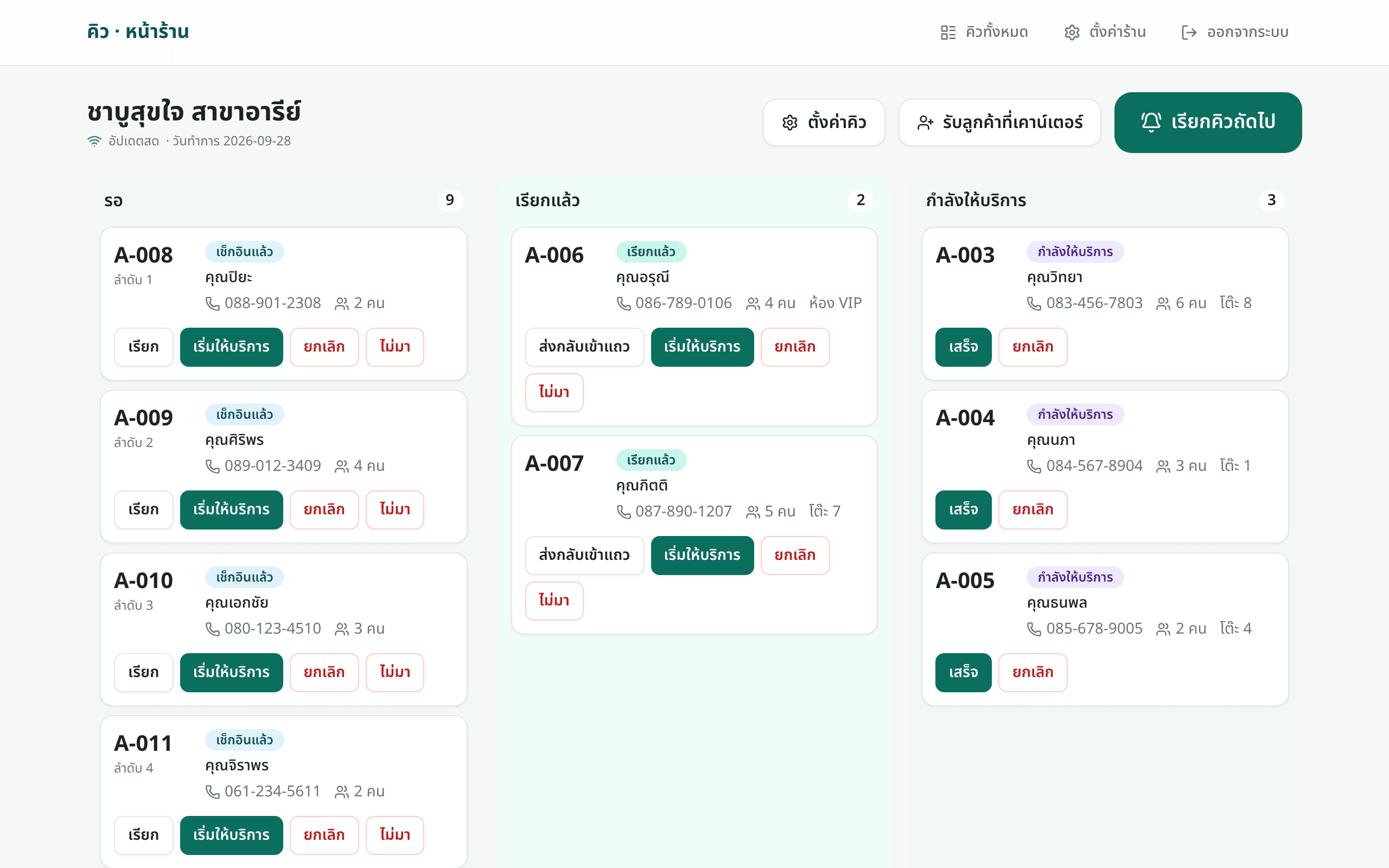
1The live queue board 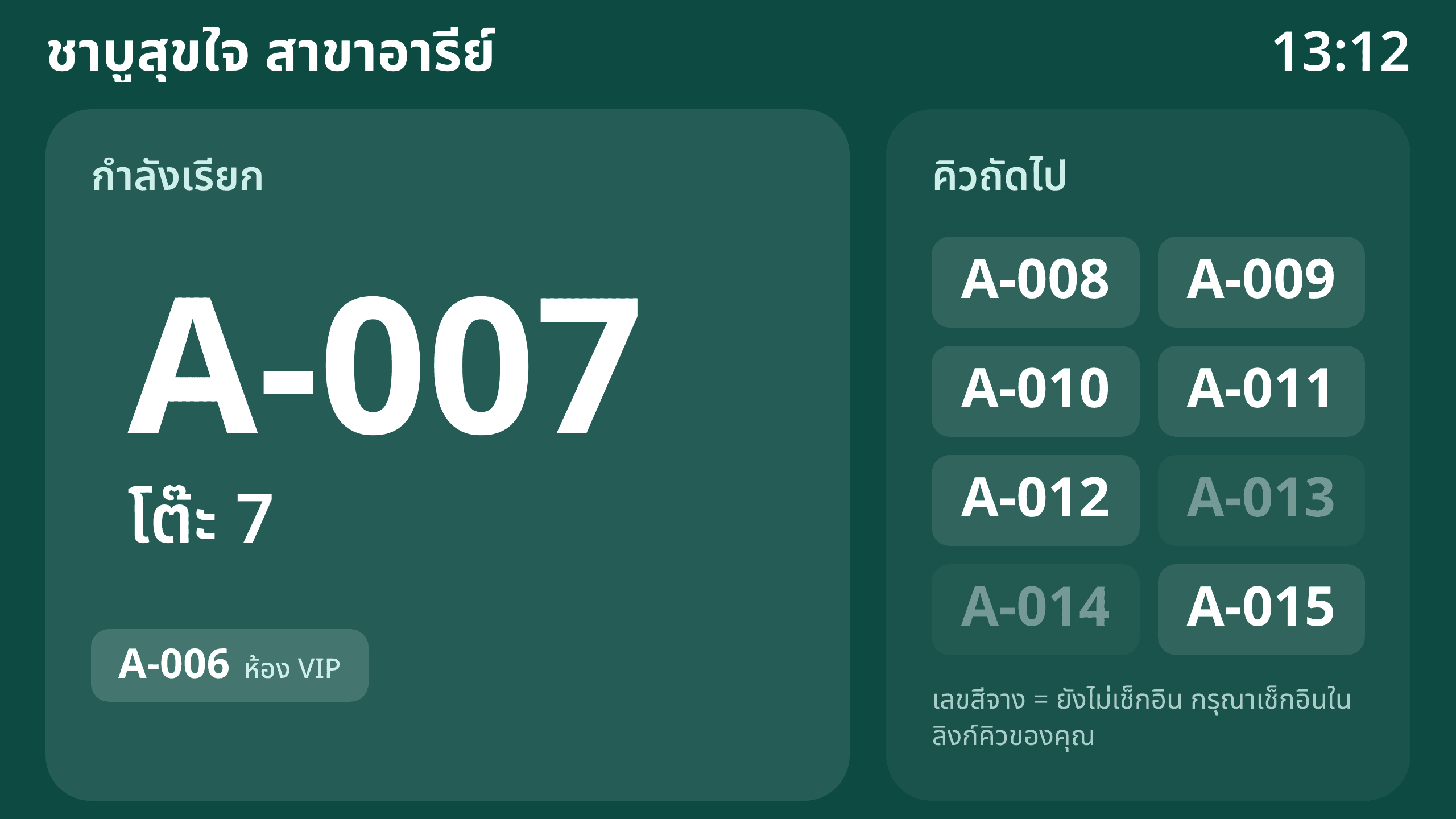
2In-shop calling screen with voice announcements 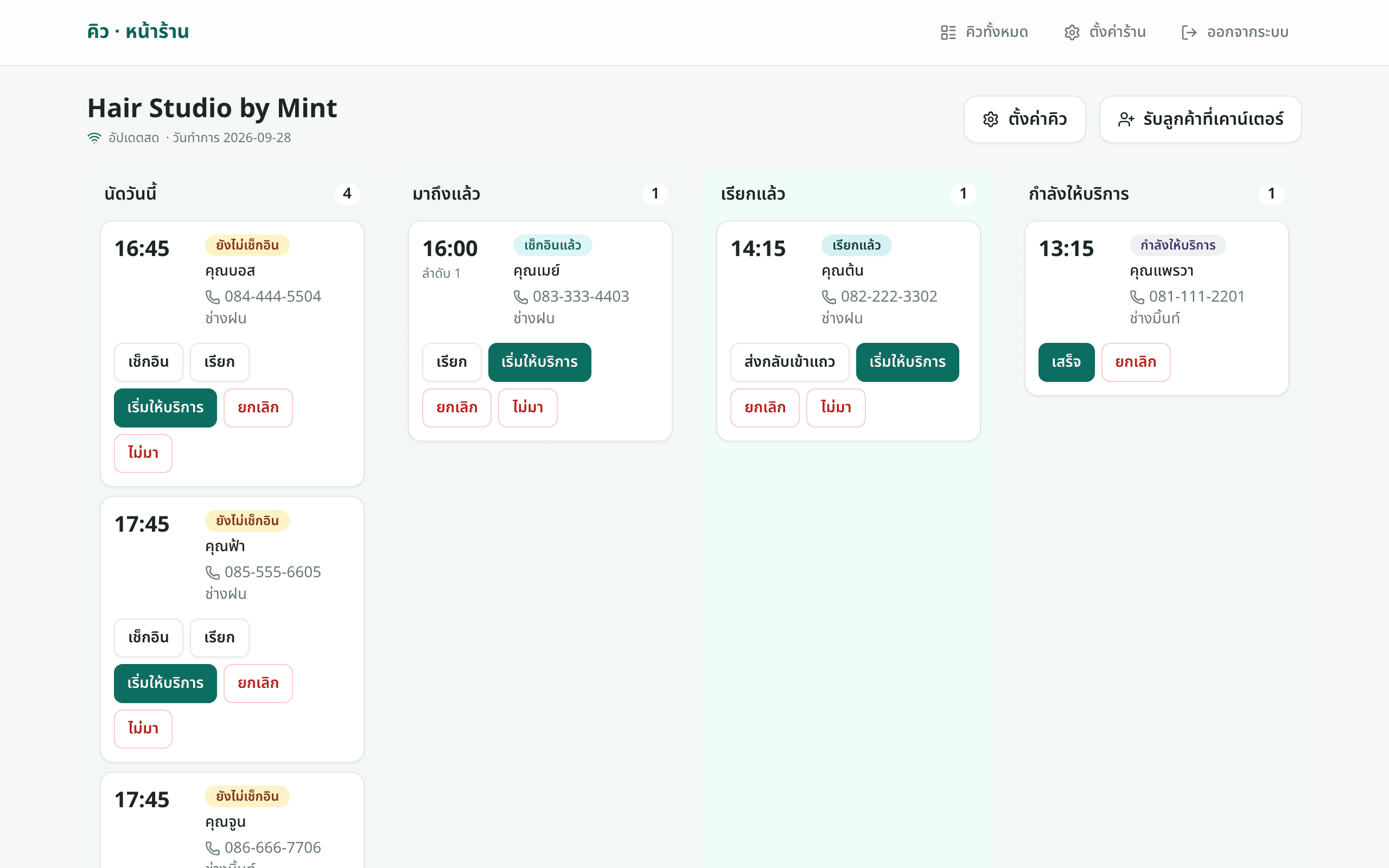
3Today's bookings and who has arrived 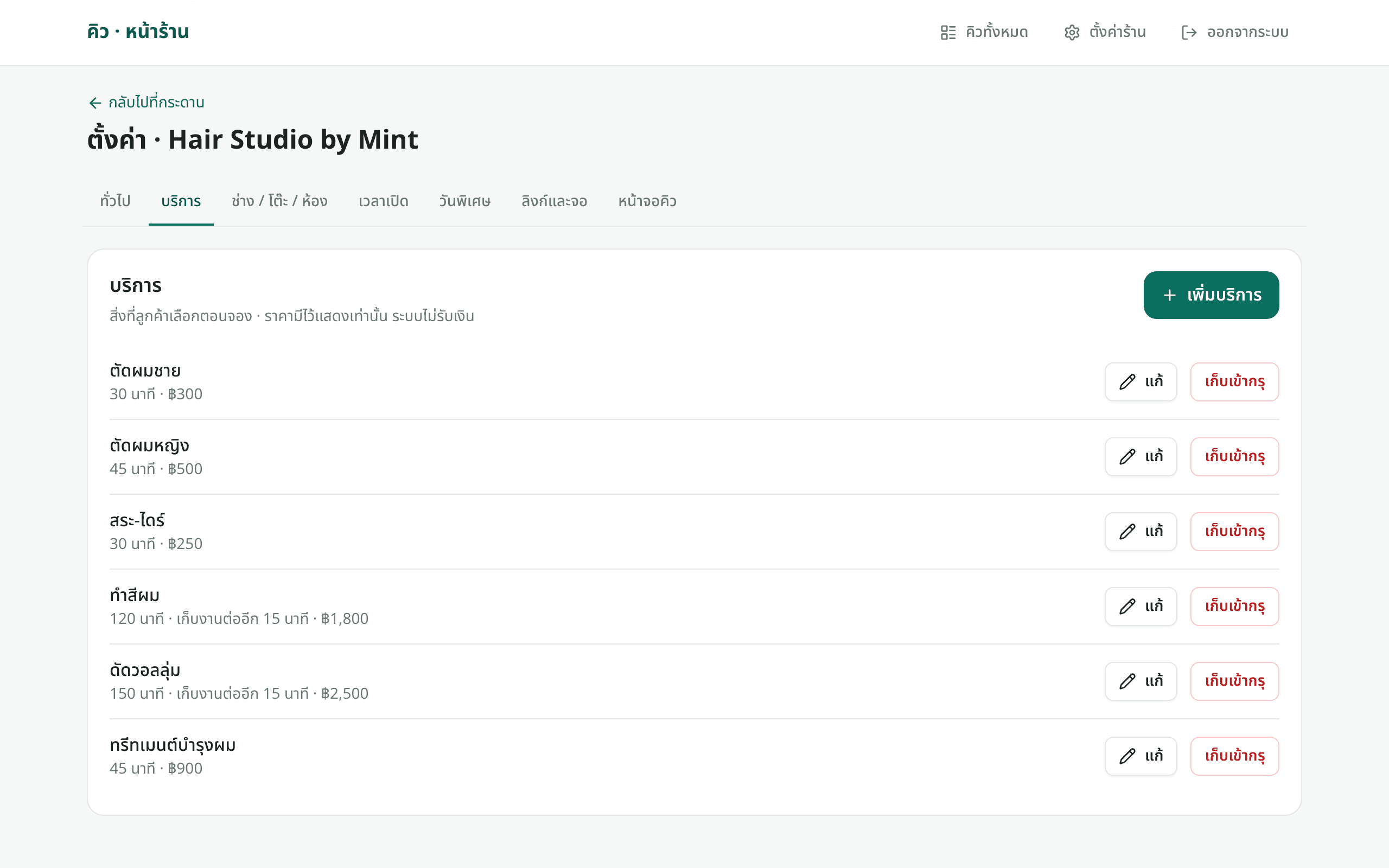
4Set services, durations and prices 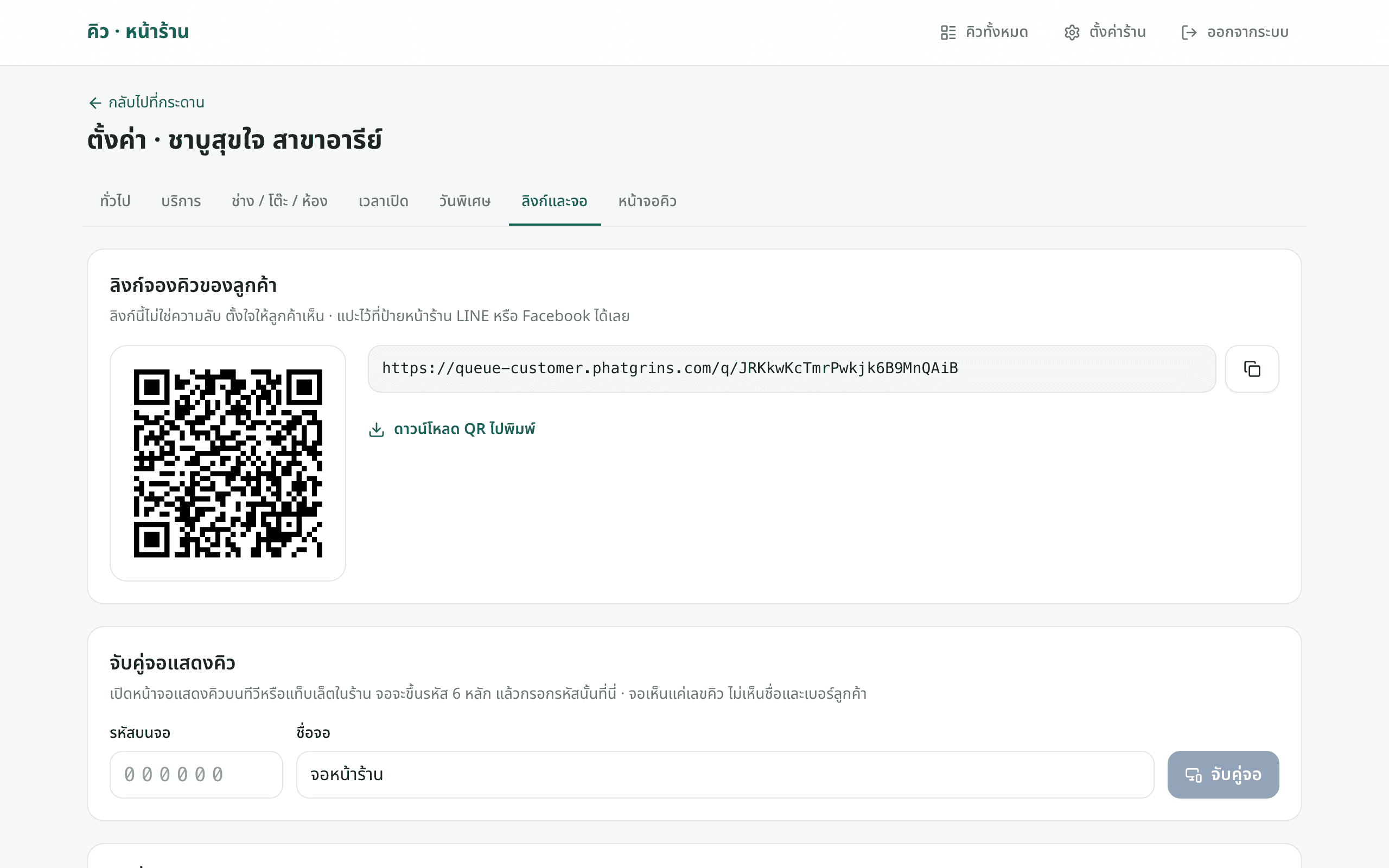
5A QR code and link for your shop front, LINE or Facebook
Plans
Contact our team for pricing and details.
Questions about this product
Do guests need an app or an account?
No. Guests scan the QR code or tap the link, enter a phone number and get in line in their phone's browser.
What kinds of business is it for?
Any business where people wait, such as restaurants, barbers and salons, clinics, spas and classes. The difference is in the settings, not a different system.
What if a guest isn't there when called?
Guests who haven't checked in are skipped and the next one is called. After the number of skips you set, the booking is marked as a no-show.
What do I need for the calling screen?
Any smart TV with a browser, a tablet or a computer with a screen. Open the display page and enter the 6-digit code it shows in your shop settings.
Does it take payments?
No. Service prices are shown to guests for information only; you take payment the way you do today.
How do I get started?
Contact the Phatgrins team for a demo and a shop account.